

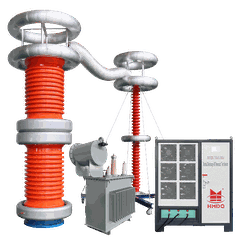

As a supplier of Current Injection Temperature Testers, one question I often encounter from customers is whether these testers can be connected to a computer. In this blog post, I'll explore this topic in detail, discussing the feasibility, benefits, and methods of connecting a Current Injection Temperature Tester to a computer.
Feasibility of Connecting to a Computer
Modern Current Injection Temperature Testers are designed with advanced technology that often allows for connectivity to external devices, including computers. This is made possible through various communication interfaces such as USB, Ethernet, and Bluetooth. These interfaces serve as the bridge between the tester and the computer, enabling data transfer and interaction.
The hardware of these testers is equipped with the necessary components to support such connections. For example, many testers have built - in microcontrollers that can handle communication protocols and manage data flow. Software on the tester side is also developed to be compatible with common computer operating systems, facilitating seamless integration.
Benefits of Connecting to a Computer
1. Data Storage and Analysis
One of the primary advantages of connecting a Current Injection Temperature Tester to a computer is the ability to store large amounts of test data. Testers typically have limited internal storage capacity, which may not be sufficient for extensive testing projects. By transferring data to a computer, you can store it on hard drives with much larger capacities.
Moreover, computers are equipped with powerful software tools for data analysis. You can use spreadsheet programs like Microsoft Excel or specialized data analysis software to perform calculations, create graphs, and generate reports. For instance, you can easily plot temperature changes over time during a current injection test, which helps in identifying trends and potential issues.
2. Remote Monitoring and Control
When connected to a computer, a Current Injection Temperature Tester can be monitored and controlled remotely. This is particularly useful in industrial settings where testers may be located in hard - to - reach or hazardous areas. Through a network connection, technicians can access the tester's functions from a safe location, start or stop tests, and adjust parameters as needed.


3. Automation
Connecting the tester to a computer enables automation of testing processes. You can write scripts or use automation software to perform a series of tests with predefined parameters. This not only saves time but also reduces the risk of human error. For example, you can set up a script to run multiple current injection tests at different temperatures and record the results automatically.
Methods of Connecting to a Computer
1. USB Connection
USB is one of the most common methods of connecting a Current Injection Temperature Tester to a computer. It is simple and widely supported by both testers and computers. To connect via USB, you need to ensure that the tester has a USB port and that the necessary drivers are installed on the computer. Once connected, the computer will recognize the tester as an external device, and you can start transferring data or controlling the tester's functions.
2. Ethernet Connection
Ethernet connections are suitable for scenarios where you need to connect the tester to a local area network (LAN) or the internet. This allows for remote access and data sharing across multiple devices. To establish an Ethernet connection, you need to configure the network settings on both the tester and the computer. The tester should be assigned an IP address, and the computer should be able to communicate with it over the network.
3. Bluetooth Connection
Bluetooth offers a wireless alternative for connecting the tester to a computer. It is convenient for short - range connections, especially when you don't want to deal with cables. To use Bluetooth, both the tester and the computer must have Bluetooth capabilities. You need to pair the two devices, following the Bluetooth pairing process, and then you can transfer data wirelessly.
Our Product Offerings
At our company, we offer a range of high - quality Current Injection Temperature Testers that support computer connectivity. For example, our 3000A Integrated Current Tester is designed with advanced communication interfaces, allowing for easy connection to a computer. It provides accurate current injection and temperature measurement, and the data can be transferred to a computer for further analysis.
Another product is our 7500A Primary Current Injection Test Set. With its high - current capacity, it is suitable for large - scale testing projects. The set can be connected to a computer via Ethernet or USB, enabling remote monitoring and control.
We also have the 3000A Split Current Tester, which is designed for flexibility. It can be easily connected to a computer, and its split - core design makes it convenient to use in different testing environments.
Conclusion
In conclusion, a Current Injection Temperature Tester can indeed be connected to a computer, and there are many benefits to doing so. Whether it's for data storage and analysis, remote monitoring and control, or automation, the connection between the tester and the computer enhances the functionality and efficiency of the testing process.
If you are interested in our Current Injection Temperature Testers or have any questions about their connectivity to computers, we encourage you to contact us for a detailed discussion. We are committed to providing you with the best testing solutions and look forward to partnering with you on your next project.
References
- IEEE Standards for Electrical Testing Equipment
- Manufacturer's Manuals for Current Injection Temperature Testers