

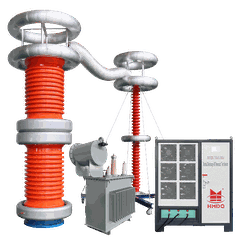




Wuhan Goldhome Hipot Electrical Co., Ltd. is one of the leading manufacturers and suppliers of transformer no load and load loss test equipment in China. With abundant experience, our factory offer high quality customized products made in China with competitive price. Welcome to contact us for quotation.
product Overview & Application Scenarios

The Goldhome HM305D is a high-precision electrical parameter tester designed specifically for power testing applications. As part of Wuhan Goldhome's core portable testing series, it emphasizes precision, convenience, and durability. It is widely used in power operation and maintenance, equipment testing, engineering acceptance, and other scenarios. It is a cost-effective testing device that balances on-site practicality with data compliance, complementing the brand's no-load and load testers such as the HM5003 to complete the full-process testing product line for transformers and power equipment.
Products Features

- 320x240 large screen, high brightness LCD display, full Chinese menu and operations to achieve prompt and friendly man-machine dialogue, touch buttons make the operation more convenient, wide LCD with brightness adjustment, can be adapted to the various summer and winter season.
- The instrument 40 can be preset by the user group is the test product parameters, and these parameters can be removed according to need and increase in use is very convenient.
- Comes with real-time clock, automatically recording test date, time, the preservation of favorable results, management.
- Panel-type thermal printer, the scene quickly print test results.
- Data (test sample set, the measurement results, the test of time, etc.) with power-down storage and browsing features, you can store 500 set of experimental results with computer on-line data transfer.
- Allows an external voltage transformer and current transformer for extended range of measurement, any measurable parameter is the test product.
Test Items
- RMS phase voltage:Uab,Ubc,Uca;
- Average value of three-phase AC voltage:/Uab,/Ubc,/Uca;
- Three-phase current RMS:Ia,Ib,Ic;
- Percentage of no-load loss and no-load current:Po,Io%;
- Load loss, impedance voltage, and the percentage of short-circuit impedance:Pt,ekt,Zt;
- Any given temperature, load loss, the percentage impedance voltage and short circuit impedance;
- Voltage waveform in the percentage of each harmonic component
- Current waveform in the percentage of each harmonic component;

Panel Description

Figure 1 Figure-load tester panel
Panel, from left to right are: printers, LCD screen, keyboard, power switch;

Figure 2 Figure-load tester backplane
Back from left to right are: working electrical outlet, three-phase test current input, three-phase test voltage input, communication port, ground column.
Operating Instructions
1 Keyboard use
"OK" button to select the current input, "Cancel" the error can be eliminated just enter, "↑" "↓" "←" "→" can facilitate the realization of the cursor's movement. "Switch" button to spare key. The bottom of the keyboard data from 0 to 9 keys, the data input by the numeric keys can be easily input data.
2 Introduce the main interface
The main interface as shown below, consists of 8 modules.

Figure 3 Test boot-load the main interface
No-load test: the menu can be measured in the single-phase transformers, three-phase transformer no-load loss.
Load Test: In this menu, you can determine single-phase transformers, three-phase transformer load losses.
Harmonic test: single or three phase voltage and current harmonic analysis test.
Test product parameters: the default transformer parameters on modify, add, delete and other operations.
Data view: on the stored data to view, delete and other management.
System Settings: Set the current system time.
Factory settings: This feature manufacturers for debugging.
3 Parameters management operations
On the main screen, the keyboard's arrow keys to move the cursor to the test product parameter menu, and then press the OK key to enter the parameters of the test product selection interface management operations are as follows:

Figure 4 parameters of the test product management interface
Select the interface in the above parameters increase, the increase occurred following parameters of the test product page:

Figure 5 parameters to increase the test product page
Figure above, the number column number for the transformer, the length of number 7, behind the representative of the transformer type, five representatives, after the transformer capacity (maximum capacity is running input 63,000), in units of KVA, such as transformer type for the S9, capacity 315KVA, then the number column should be entered: 0900315.
Data input method as follows (in Un1 example, the input value is 35.00): Use the arrow keys to move the cursor to Un1 column after the data input through the numeric keypad to directly enter 35.00, input finished, press OK button. Note that the cursor after the Un1 input field, the bottom of the screen prompts "high side rated voltage" (the bottom of the screen cursor is always prompted to enter the field of parameter meaning).
In Figure 4, choose to modify parameters, select the adapter number appeared the following pages:

Figure 6 Select transformer numbers page
Pre-modified by the arrow keys to select the number of its parameters, then press the OK button to enter the test sample parameters modify the page, change the page parameters the same as in Figure 5.
In Figure 4 Select Delete parameter, the choice of the transformer in Figure 6, page number, selected number, press the OK button to delete the number of transformer parameters configuration.
4.No-load test
According to the test method for dual-table method or three tables, reference back of the corresponding wiring diagram correctly, and then reconnect the power supply load tester.
On the main screen select the load test, load test setup interface is displayed as below:

Figure 7 No-load Test Settings page
Save the page when setting the last test, inspect, modify the settings page it consistent with the current testing transformer.
In Figure 7, the cursor to select the "Start Test" and press OK key to enter the no-load test the following test data page:

Figure 8 No-load Test test data page
This page shows the No-load test results of all tests: Uo (V) for the three-phase line voltage (dual-table method) or phase voltage (when the Tri-watt method) of the average, Pm (KW) for the current voltage the measured power, d is the voltage waveform distortion factor, Po (KW) for the corrected load loss, Io% for the no-load current percentage.
Left side of the test voltage and current vector, if the connection is wrong, the page says "connection error, check off"; by slowly increasing the test voltage booster, when Uo (V) is equal to the rated voltage no-load test ( low-pressure side of the transformer for the 400V, no-load test, Two-watt method, the test voltage Uo was 400V, Tri-watt method load test, the test voltage Uo was 230V), to stop boost. Move the cursor to "lock" button, press OK button to lock the current test results, then "lock" button to "Repeat" button.
In the page's "Save" to save the results to the current random storage; "Print" to print through the printer, the current test results
Note: The step-up the process, we should always pay attention to Uo and Io, in addition to avoid over-voltage, but also to guard against abnormal test test sample over current damage to equipment or the test product
In Figure 8 by "Repeat" will be re-tested on the current transformer, press the "exit" is back to Figure 3, the main interface of system functions.
5 Load test
According to the test method for dual-table method or three tables, reference back of the corresponding wiring diagram correctly, and then reconnect the power supply load tester.
On the main screen select the load test, load test setup interface is displayed as below:

Figure 9 Load Test Settings Page
Save the page when setting the last test, inspect, modify the settings page it consistent with the current test transformers, with particular attention to check the number after the 5 values ​​represent the capacity of the high pressure side of the rated current, current transformer Variable ratio, to avoid setting is incorrect or test current overrange.
In Figure 9, select the "Start Test", enter the load test the test data interface:

Figure 10 Load test data page
This page displays the current temperature load test all the test data: Io (A) the average for the three-phase current, Pm (KW) for the current measured under voltage power, Pt (KW) for the current temperature correction to the rated current reproduced when the loss, Zt (Ω) for the current temperature of the short circuit impedance, Uk% for the current temperature, the percentage of short-circuit voltage.
Left side of the test voltage and current vector, if the connection is wrong, the page says "connection error, check off"; by slowly increasing the test voltage booster, when Io (A) test current equal to the load test, stop boost. Move the cursor to "lock" button, press OK button to lock the current test results, then "lock" button to "re-test" button.
Note: The step-up the process, we should always pay attention to Uo and Io, in addition to avoid over-voltage, but also to guard against abnormal test test sample over current damage to equipment or the test product.
In Figure 10 Select the "temperature correction" to show the temperature correction interface:

Figure 11 the results of temperature calibration load page
The page parameters is the last trial setting, inspection, modification to the test items are consistent with the current, the instrument provides two temperature correction algorithm: temperature coefficient method and the national standard formula, the formula see these two algorithms behind the appendix.
In the page's "Save" to save the results to the current random storage; "Print" to print through the printer, the current test results.
Hot Tags: transformer no load and load loss test equipment, China transformer no load and load loss test equipment manufacturers, factory


