



Products Video
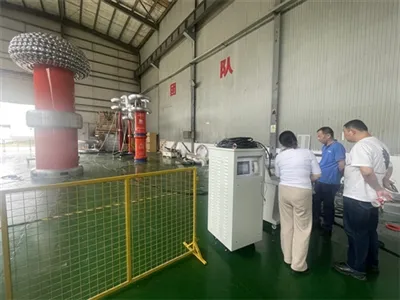
300kv 15KJ impulse voltage generator wire connection with load for chopped waveform display
Product Details
1. [Status Information Display Area] Displays the current system's configuration parameters, fault information, and the operational status of each component.

Startup Conditions: Ready, Emergency Stop button, and Test Sample Door status is indicated via interface indicator lights. When system startup conditions are not met, these sections display red.
Main Circuit Status: Red lights for Main Power and Ground Open indicate the main contactor is fully closed and the grounding is fully open, respectively.
Fault Status: Flashing fault indicator lights indicate a fault has occurred.
Parameter Setting Display:
-.The digits preceding "Current Voltage" and "Charge Count" represent actual test data; values after the slash indicate set parameters.
-.The digits before "Charge Time" show the current charging duration; values after the slash denote the set charging interval.
Operational Status:
- The top row displays the system's operational sequence, indicating the current step in the process.
- The right-hand row shows the PLC operational status; fault information appears during malfunctions.
2. 【Control Panel】

2. 【Control Panel】The main interface features five buttons: "Prepare," "Start Test," "Manual Trigger," "Fault Reset," and "Test Parameters," with the following functions:
Prepare: Before initiating the test, configure test parameters and inspect hardware circuits. Once verified, press the Prepare button to indicate readiness.
Start Test: When the system is stopped, displays "Start Test." After the test begins, it shows "Stop Test." Pressing this button halts the ongoing test.
Manual Trigger: Manually triggers the ignition pulse.
Test Parameters: Configure common test parameters, including test flow, test location, and system settings.
Fault Reset: Resets system faults when they occur.
3.Test Parameter Configuration: On the main test page, click the [Test Parameters] button to access the test parameter configuration interface below picture Here, you can set the test workflow according to your requirements, and the system will automatically execute the test.

Impulse Test Settings:
• Set Charging Voltage: Configure the expected charging voltage for the capacitor in kV (kilovolts). The minimum chargeable voltage is 0.5 kV, with a rated charging voltage of 150 kV. The maximum voltage must not exceed 150 kV. The setting precision is one decimal place (i.e., 100 V). Maximum voltage varies by waveform.
• Set Discharge Interval: Configure the time interval between each impulse, measured in seconds (S).
• Set Impulse Count: Specify the total number of automatic impulses under the current polarity.
• Polarity Switching: Click the Positive Polarity button to switch to positive polarity; the Negative Polarity button operates similarly.
• Complete Settings: Press the [Confirm] touch button to automatically configure related actions and enter pre-test mode. Settings are saved, and subsequent startup displays these parameters.
Hot Tags: Lightning Impulse Voltage Tester, China Lightning Impulse Voltage Tester manufacturers, factory